Documentation
Fill out the Create Coin panel
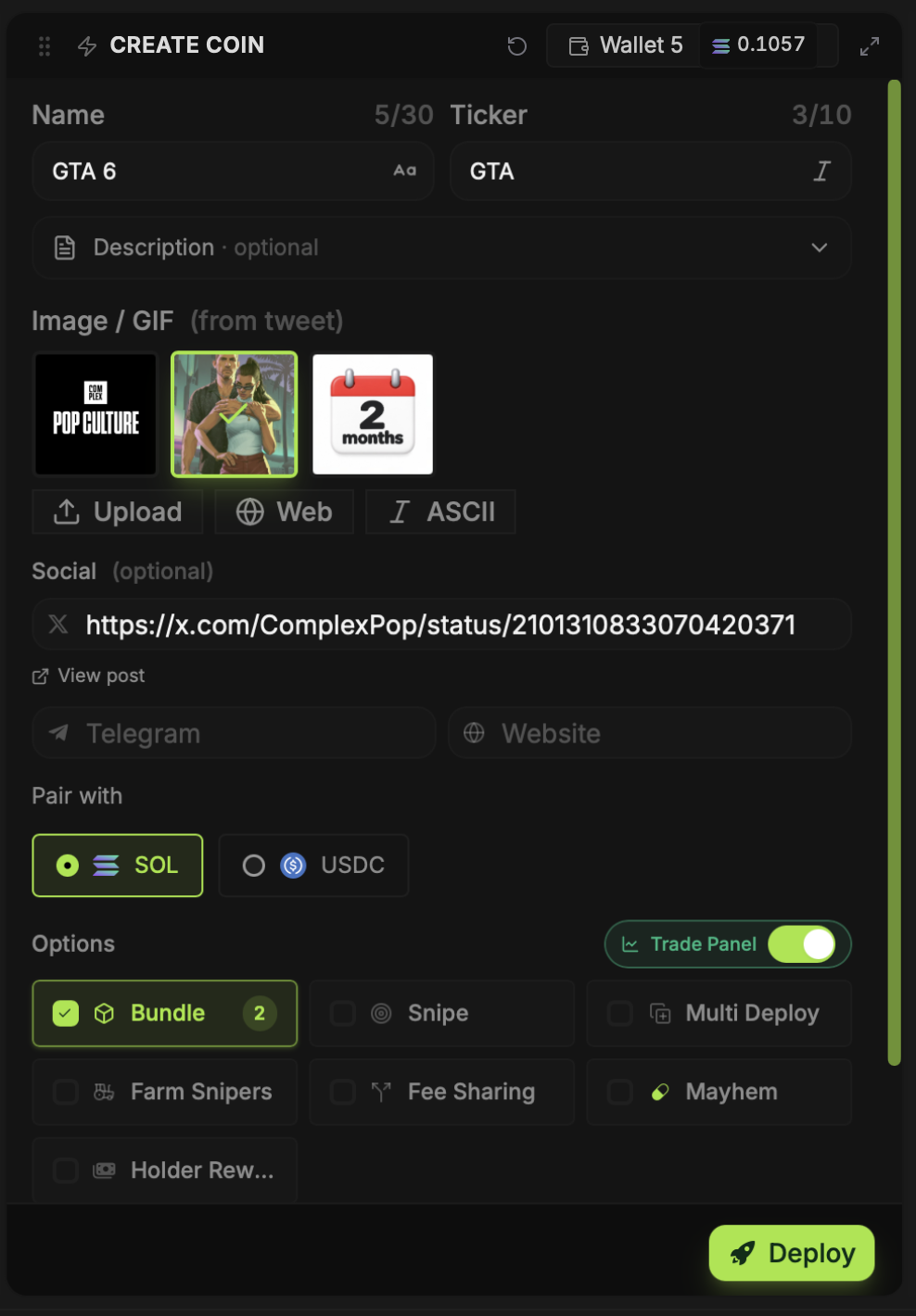
Create Coin sits in the middle of Deployer. You can type a coin from scratch, start from a CT Tracker post, or pull metadata from another token with Vamp. Review everything here before pressing Deploy.
Updated
Name, ticker and links
Enter a name and ticker. Add a description if the coin needs one, then set the X, Telegram and website links you want shown with it. A prefilled field from CT Tracker or Vamp is still your draft; edit it before launch.
Choose and edit an image
The Image / GIF area can show media pulled from a post. Select one, upload your own file, use the built-in web search, or make ASCII art. BumpOn's image editor lets you adjust the selected artwork without leaving Deployer. Check how the image looks in the preview rather than assuming the source crop will fit.
Pair with SOL or USDC
Under Pair with, choose SOL or USDC for the Pump.fun launch. The buy amounts and wallet balances you need depend on that choice. Check the selected pair again when you set an initial buy or other wallet buys.
Options are optional
Bundle, Snipe, Multi Deploy, Farm Snipers, Fee Sharing, Mayhem and Holder Rewards each have a separate control. Open only the options you intend to use. Some require other wallets or extra configuration; the docs for each option explain what to prepare.