Documentation
Buy and sell from the Deployer Trade Panel
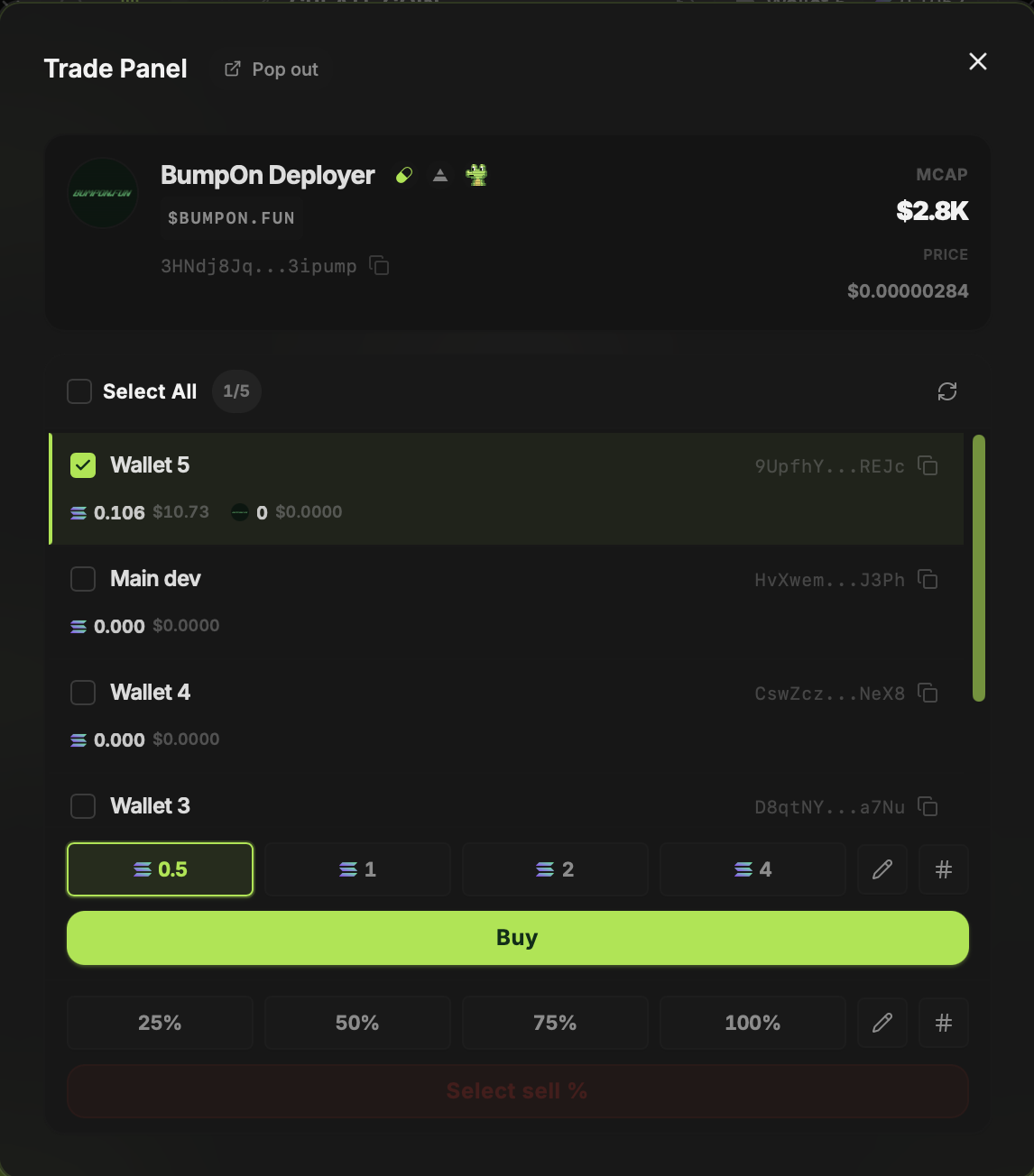
Open Trade Panel from a token in Deploys. It puts that token's price, wallet balances and buy/sell controls together, so you can choose the wallets involved in each trade.
Updated
Choose wallets for a trade
Check the wallets you want to use. The panel shows each wallet's SOL and token balance. For buys, choose a preset amount or enter your own. For sells, choose a percentage or custom amount and review the selected wallets before sending.
Pop it out next to a chart
Click Pop out to open the panel in a separate window. You can place it beside charts on Axiom, GMGN, Padre Terminal or another site. The panel still trades through BumpOn; the charting site is a separate window.
Check the resulting positions
A multi-wallet trade can confirm for some wallets and fail for others. Refresh balances and check transaction status before repeating an order. The fee charged by BumpOn for Deployer trades is currently 1% of the trade amount; network and platform costs are separate.