Documentation
Launch multiple tokens with Multi Deploy
Multi Deploy repeats a coin draft across selected wallets. Each launch creates a separate token mint, even when the name, ticker and image match. Check the wallet and buy settings for every copy before you send it.
Updated
Add a launch copy
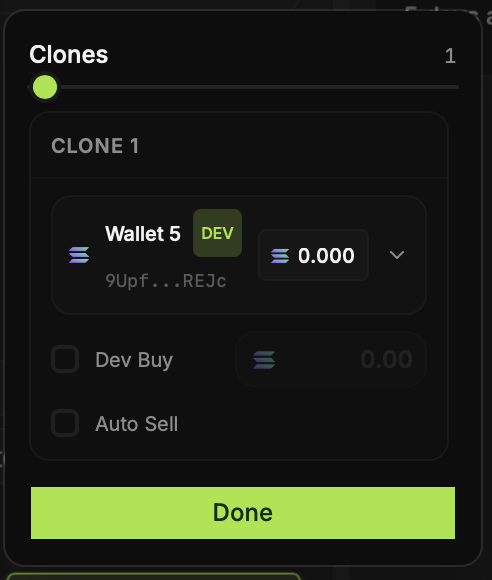
Turn on Multi Deploy in Create Coin and choose how many copies to set up. The Clones panel shows a wallet for each copy. You can set an initial dev buy and the available auto-sell setting for that copy.
Check each mint after launch
Identical branding does not make the tokens interchangeable. Each copy gets its own mint address and market activity. Track them separately in Deploys, and use the correct mint address when sharing or trading a specific copy.
Be clear about the relationship
If you publish several tokens with the same metadata, explain which ones your team created. Do not imply that separate launches came from unrelated creators or that repeated launches prove a narrative is catching on.