Guides
How to create a Solana memecoin with BumpOn
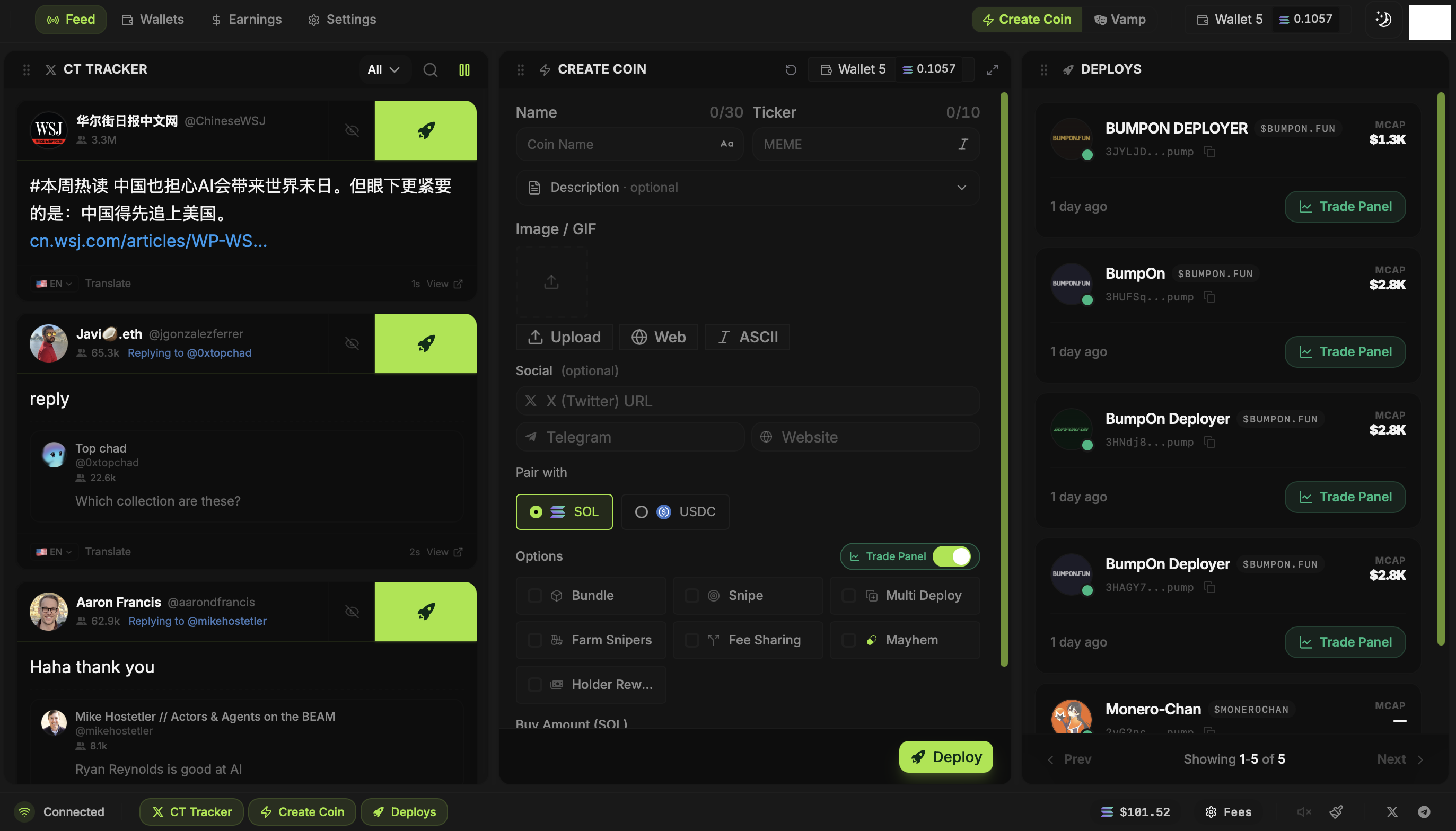
You can start a coin from a post in CT Tracker, from your own idea, or from another token's metadata with Vamp. BumpOn puts all three paths into the same Create Coin panel. None of them sends a transaction until you choose the launch settings and press Deploy.
Updated
Pick the idea you want to put on-chain
Watch the CT Tracker for a post or narrative worth building on. Click Deploy on a post to carry its available text and images into Create Coin. If you already know the concept, open Create Coin and type the name and ticker yourself. Vamp can load an existing Solana token's metadata when that is the starting point.
A post or existing token can give you a draft, but you still decide what to publish. Check the source, avoid someone else's identity or artwork, and write a description that matches the coin you're actually making.
Finish the coin details
Enter the token name and ticker, then add a description and any X, Telegram or website links. Choose an image from the post, upload your own, search the web, or make ASCII art. The image editor is available in the same panel if the crop needs work.
Read the completed form from top to bottom. Pump.fun can limit what you change after creation, so a wrong ticker, image or link may follow the token after launch.
Choose SOL or USDC and the wallets involved
Create Coin lets you choose the Pump.fun pair. Set SOL or USDC first, then check the dev wallet and any initial buy against that choice. New Deployer wallet lists start empty; create a wallet or import one you already control before asking it to buy.
You can launch without extra wallets. If you want bundle or snipe buys, create or import those wallets, enter their buy amounts, and fund them before deployment. Fund Wallets can split a total across recipients through available exchange and swap routes.
Choose only the launch options you need
Bundle puts selected buys with the launch in a Jito bundle. Snipe submits separate buys after launch. Multi Deploy launches the concept more than once with different wallets. Farm Snipers schedules a dev-wallet sale. Fee Sharing, Holder Rewards and Mayhem change other parts of the launch. Open the relevant guide before turning on a switch you have not used before.
Deploy and keep the mint address
Review the final token details, pair, selected wallets, buy amounts and costs. Press Deploy and wait for the result in Deploys. Copy the new mint address from the confirmed launch and verify it on a Solana explorer before sharing it.
Once the coin is live, Trade Panel shows the balances and controls for the wallets you select. Creator rewards, when available, appear in Earnings. Neither a completed launch nor a large first buy creates an audience by itself.