Guides
How to launch a Pump.fun token in BumpOn Deployer
There is no single required sequence in Deployer. You can begin with a CT Tracker post or an empty Create Coin form. The steps that must line up before deployment are the token details, pair, wallet balances and any options you turned on.
Updated
Start a draft
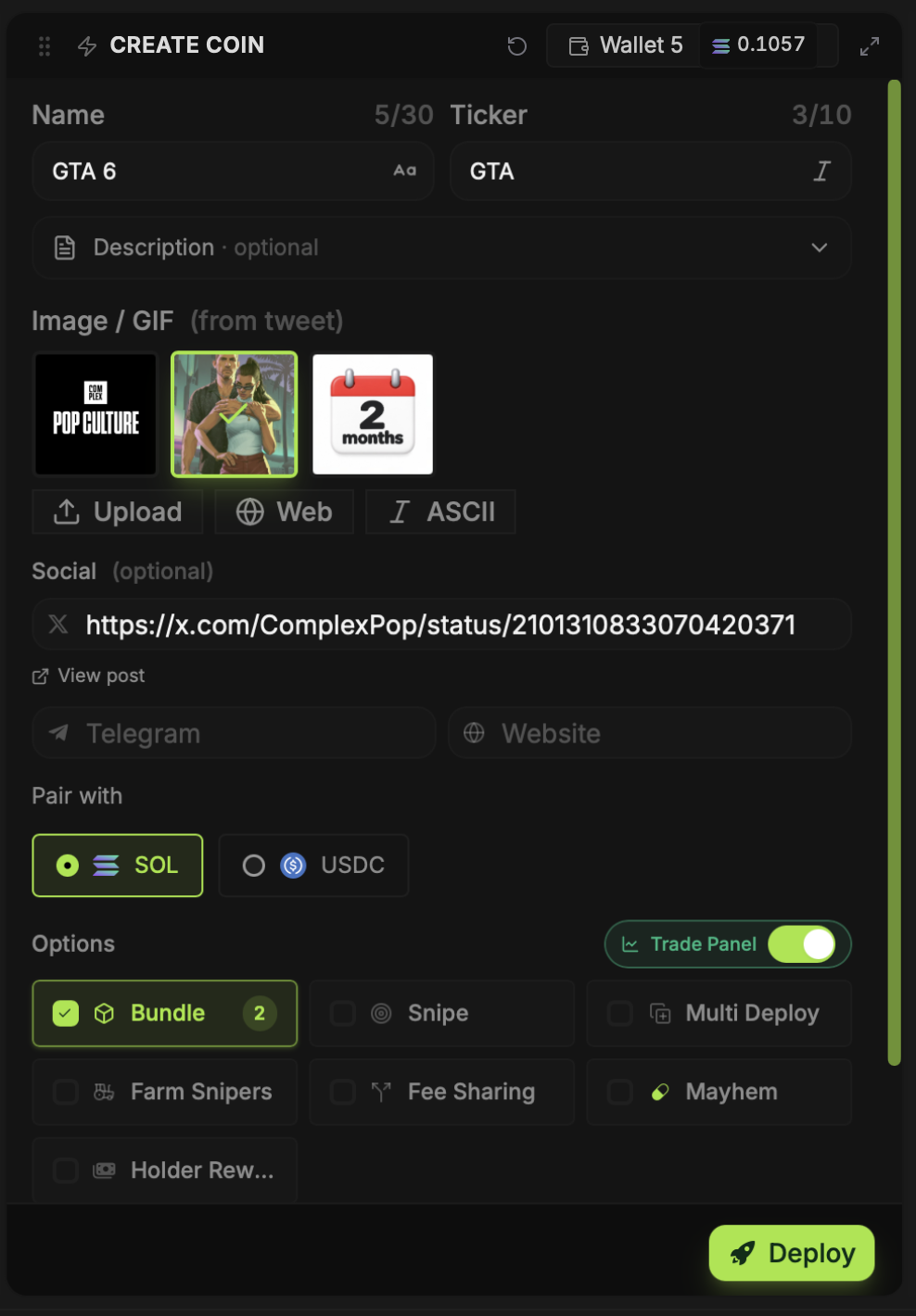
Click Deploy on a CT Tracker post to prefill what BumpOn can read from it, or open Create Coin and enter your own details. Vamp is another route: paste an existing Solana mint to load its metadata into a new draft. Each route still ends in the Create Coin panel, where you can change the name, ticker, image and links.
Check artwork and the quote pair
Select an image from the draft, upload one, search the web, or make ASCII art. Use the image editor if the crop needs adjustment. Then choose SOL or USDC under Pair with. Do this before setting your final buy amounts so you budget in the currency the launch uses.
Set the dev wallet and optional buys
Pick a dev wallet from your Deployer wallet list. Create or import one if the list is empty. Set a dev buy if you want to buy at launch. Bundle Buys needs a selected, funded wallet for each amount; Snipe uses its own selected wallets after launch. Check both lists if you enable both controls.
Read the other switches before using them
Multi Deploy creates separate mints from the same concept. Farm Snipers schedules a sale from the dev wallet. Fee Sharing sends creator-fee shares to recipients you choose, while Holder Rewards directs them to token holders. Mayhem uses Pump.fun's mode. None is required for a standard launch; each changes what happens after you press Deploy.
Submit once, then inspect the result
Review the name, ticker, image, pair, wallet addresses, buy totals and quoted charges. Press Deploy and watch the status. If confirmation is slow, check the transaction before pressing again. A second submission can create another mint or spend another fee.
When Deploys shows the token, open it to get the mint address and Trade Panel. Check the on-chain transaction and the wallet positions, especially if you used Bundle, Snipe or an automatic sale.