Tools
Pump.fun Deployer with CT Tracker and Trade Panel
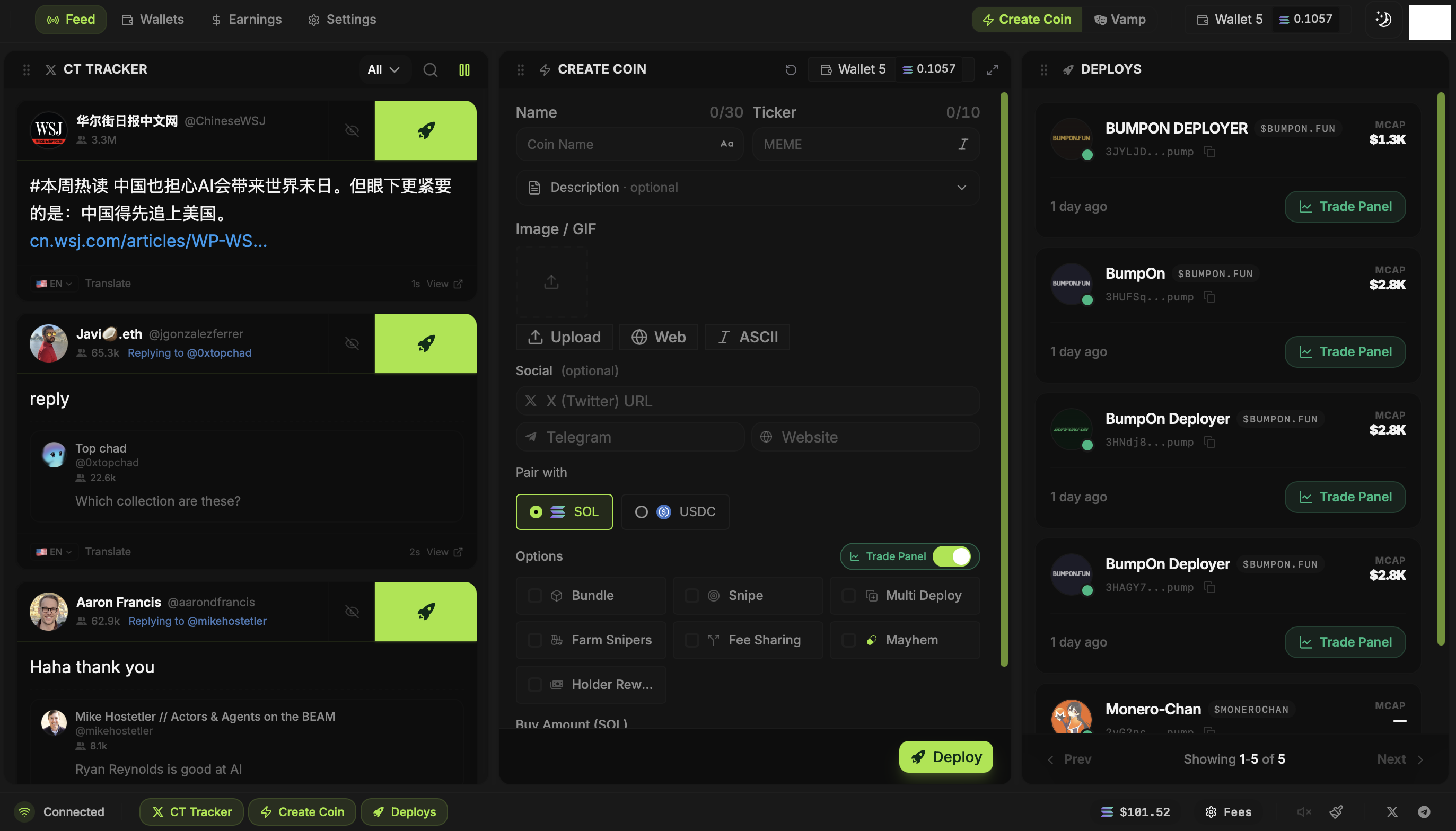
BumpOn Deployer keeps the feed, coin form and your launched tokens on one screen. Click Deploy on a CT Tracker post to start a draft, or build the coin yourself. After launch, open its Trade Panel and buy or sell from the wallets you select.
Updated
Follow a narrative into Create Coin
The CT Tracker shows posts beside the token form. Click a post's Deploy button and BumpOn carries its available details and images into Create Coin. You can keep them, replace them or start with your own name, ticker and artwork.
Make the token image inside the workspace
Choose an image from the post, upload a file, search the web, or make ASCII art. The built-in image editor lets you adjust the selection before launch. Set your social links and choose whether the Pump.fun token pairs with SOL or USDC.
Choose the launch you want
The Bundle, Snipe, Multi Deploy, Farm Snipers, Fee Sharing, Mayhem and Holder Rewards controls are separate. A plain token launch needs none of them. When you use one, open its settings and check the wallets, amounts or recipients it affects.
Trade and collect earnings afterward
Deploys keeps the tokens you launched within reach. Open Trade Panel for a token, select wallets, and buy or sell. Pop the panel into a separate window when you want it beside an Axiom, GMGN or Padre chart. Earnings is where you view creator rewards and your Deployer referral balance.