Documentation
Get started with BumpOn
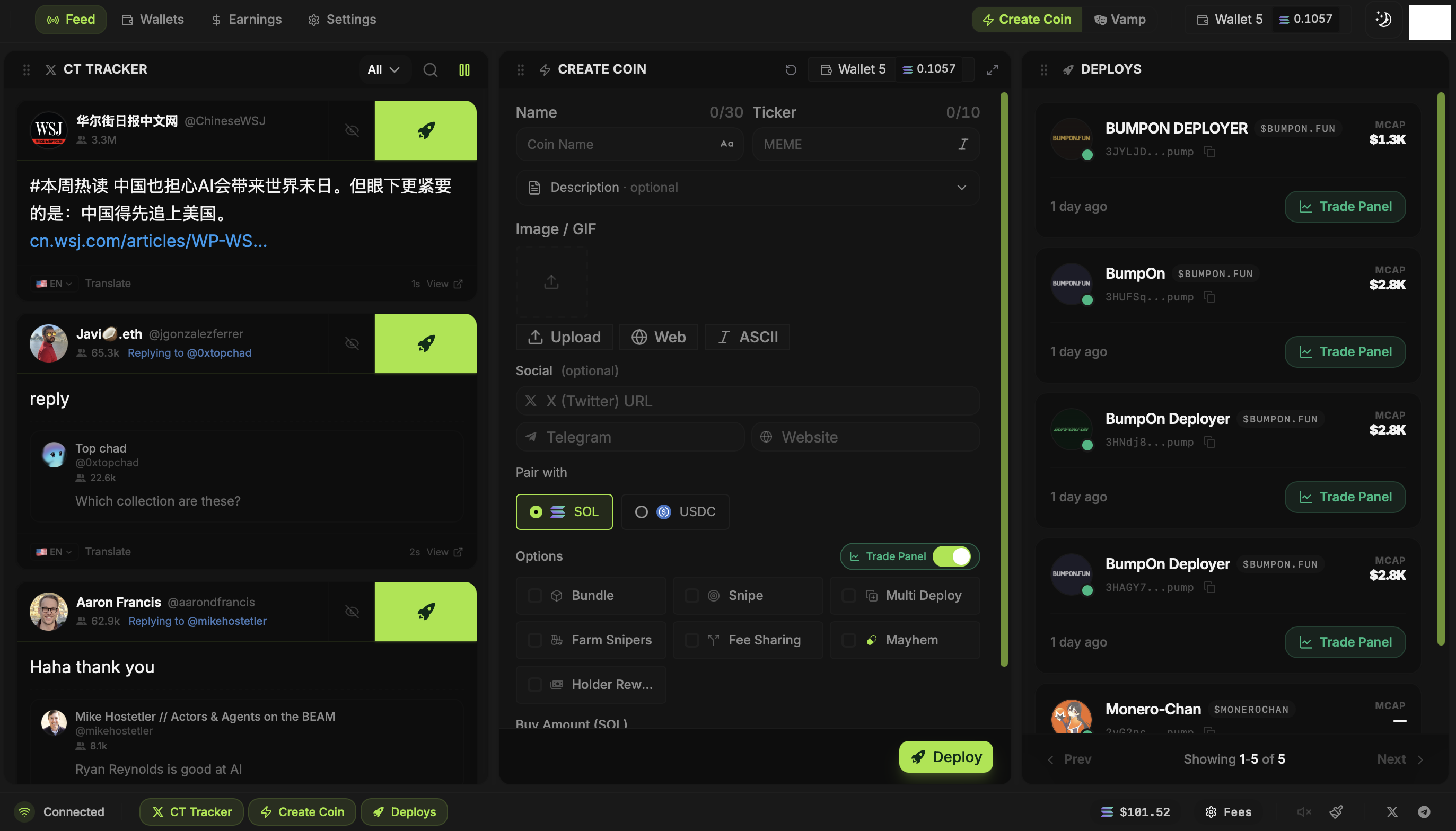
BumpOn has three tools. Deployer brings the CT Tracker, Create Coin panel, wallets, Deploys, and Trade Panel into one screen. Bump Bot runs repeated buys and sells for a selected token. Holder Booster adds token-holding wallets.
Updated
Move between Deployer panels
The CT Tracker is on the left, Create Coin is in the middle, and your Deploys are on the right. See a post you want to work from? Click its Deploy button to carry details into Create Coin. Already have a token in mind? Fill out Create Coin yourself, or use Vamp to load an existing token's metadata as a starting point.
Wallets, Earnings, and Settings sit in the top navigation. You can create or import wallets when you need them. Funding and optional launch settings come later, when you know which wallets and buy amounts a launch will use.
The other two tools
Bump Bot repeatedly buys and sells a Pump.fun or PumpSwap token. You set the buy amount and pace, then watch the activity and the SOL it spends. It does not deploy a new token.
Holder Booster takes a live token address and a holder-count package. It creates an order that adds token-holding wallets; the order view shows progress. The holder count measures wallet addresses; one person can control several.
Where to go next
- Launching from a post: read CT Tracker, then Create Coin.
- Launching with several wallets: read Wallets, Fund Wallets and Bundle Buys.
- Trading a token you deployed: open the Trade Panel guide.
- Using Bump Bot or Holder Booster: each has its own setup page below.